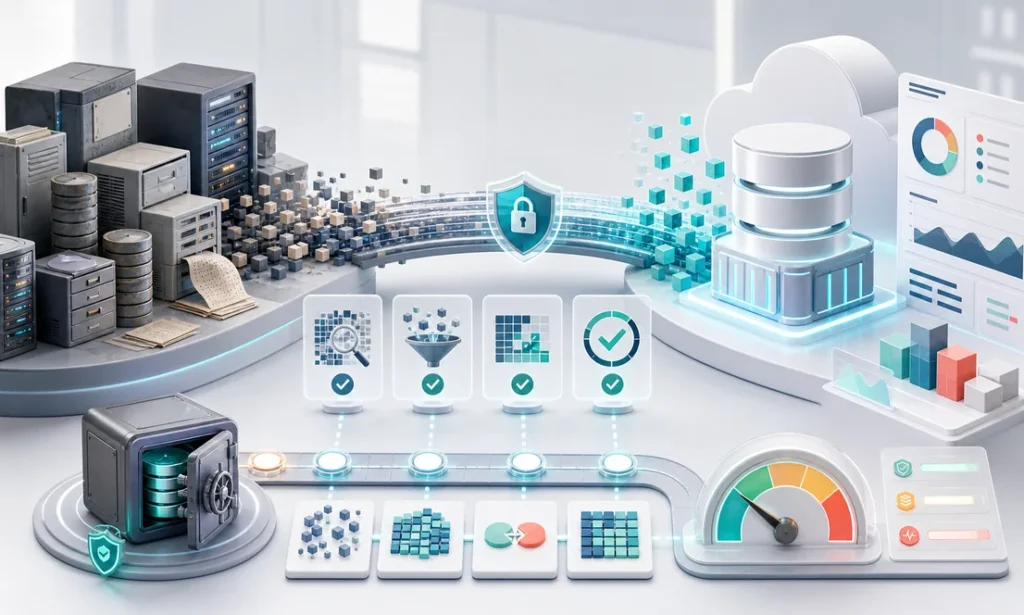
A regional distributor came to us with a problem that had nothing to do with technology and everything to do with trust. Fourteen years of customer history, pricing agreements, and order records lived inside an aging ERP that the vendor had stopped supporting. Everyone agreed the system had to go. Nobody would sign off on the legacy system data migration — because three years earlier, a botched CRM import had scrambled customer contacts and it took months to repair the damage. The scars were institutional. This is the story of how that migration actually went, and the checklist we now use on every one like it.
Before: the fear was rational
Here is what the audit found, and why the team’s fear deserved respect. Around 12% of customer records were duplicates with conflicting data — same company, three spellings, two different payment terms. Custom fields had been repurposed over the years: a column labeled “Region” actually held salesperson initials after 2019. Critical pricing logic lived nowhere in the database at all — it lived in an office manager’s head and a spreadsheet named FINAL-v7. And the old system had no export function worth the name; reports were designed for paper, not for machines.
None of this is unusual. Every legacy system data migration we have done has some version of it, because systems that survive a decade accumulate workarounds the way harbors accumulate silt. The mistake is not having messy data. The mistake is pretending you don’t until cutover weekend.
The approach: migrate trust, not just tables
The project ran sixteen weeks, and the sequence mattered more than the tools.
Weeks 1-3: audit and mapping. Every table, every field, every “what does this column actually mean” interview. The output was a mapping document the business signed — not IT, the business. The office manager’s pricing spreadsheet was promoted from shadow system to official source, which she called the first time anyone had asked.
Weeks 4-7: cleansing rules, written down. Instead of fixing records by hand, we wrote rules: how duplicates merge, which source wins when fields conflict, what happens to orphaned orders. Rules are testable and repeatable; heroic manual cleanup is neither.
Weeks 8-12: trial migrations — plural. Three full dress rehearsals into a staging copy of the new platform. The first surfaced 4,100 records that violated the new system’s validation. The second was down to 300. The third ran clean in under four hours. Each run produced a reconciliation report the finance team could check: record counts, order totals by year, receivable balances to the penny.
Weeks 13-16: parallel run, then cutover. Both systems live for three weeks, with a nightly comparison of key totals. When numbers matched for fifteen straight business days, the team — the same team that had refused to sign off — voted to cut over. The final migration happened on a Friday night. Monday opened without a single support ticket about missing data.
After: what changed beyond the database
The measurable wins came fast: month-end reporting dropped from six days to two, duplicate-driven shipping errors disappeared, and the company could finally see fourteen years of purchase history in one customer view — which the sales team promptly turned into a reactivation campaign. But the durable win was different: the organization stopped fearing its own data. Two years later they added an analytics layer and a customer portal on top of the clean foundation, projects that would have been unthinkable on the old system. That is the pattern we see across legacy software modernization work: the migration is never the finish line, it is the toll gate to everything after.
The lesson
Data migration fails as an event and succeeds as a process. The botched import that scarred this company had been a single big-bang weekend with no rehearsal and no reconciliation. The successful one was boring on purpose: rules instead of heroics, three rehearsals, numbers the finance team could verify at every step. If your migration plan does not bore you a little, it is not ready. And the team that does it should be the team that builds — migration decisions are architecture decisions, which is why we treat it as part of custom software development, not a side errand.
The legacy system data migration checklist
- Inventory every data source — including the spreadsheets and access databases nobody officially admits to. Shadow systems hold real business logic.
- Interview the humans — repurposed fields and tribal-knowledge rules never appear in the schema. Budget real hours for this.
- Get business sign-off on the mapping document — IT can verify columns; only the business can verify meaning.
- Write cleansing rules, not manual fixes — every fix should be repeatable on the next trial run.
- Run at least two full trial migrations — the first one always fails. Schedule for that instead of being surprised by it.
- Reconcile in business terms — record counts, revenue totals by year, open balances. Finance signs, not just engineering.
- Run parallel before cutover — two to four weeks of matching numbers converts skeptics better than any meeting.
- Keep the old system readable for 6-12 months — read-only access is cheap insurance for the audit question you have not thought of yet.
- Plan the freeze window — decide what happens to data entered during cutover weekend before the weekend.
Sitting on years of records and a system past its expiration date? Schedule a free consultation — we’ll assess your data risk and map the migration before anything moves.
Finding this analysis useful?
Get one email a week with the most important developments in AI and business technology — explained in plain English, with real numbers and zero spam.
Want this working in your business?
Book a free 30-minute session: we look at your case and tell you what is worth doing (and what is not) — no strings, no sales pitch.
Book a free session →