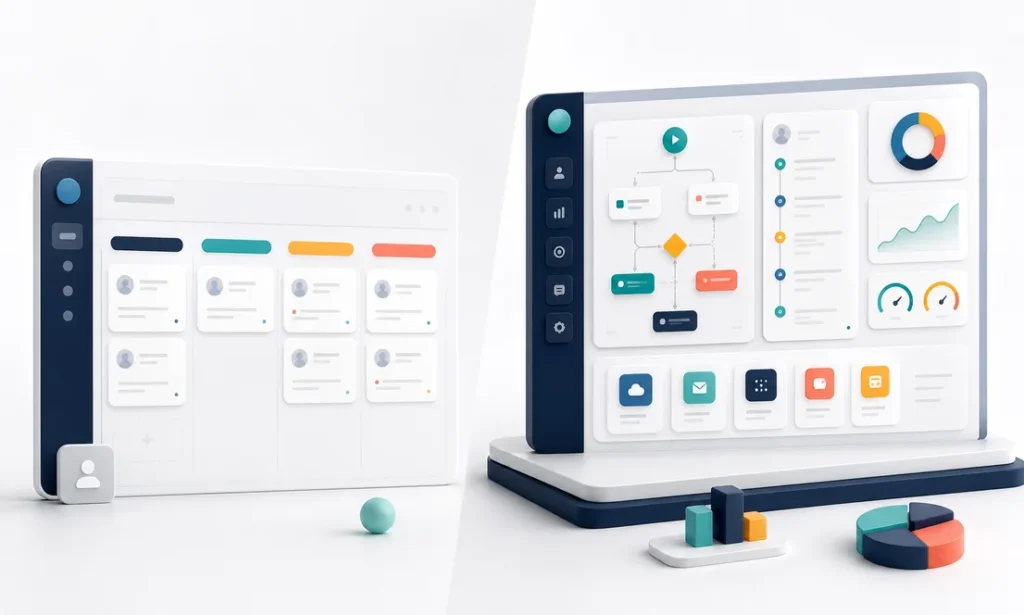
Choosing a CRM for small business use is one of those decisions that looks trivial and quietly shapes your next five years. Pick something too light and your customer history lives in seven inboxes; pick something too heavy and your team spends more time feeding the CRM than talking to customers. There are three honest paths — free, paid, and custom — and each one is right for a specific kind of company. Here is the decision, laid out the way we would walk a client through it.
The decision table
| Option | Choose it when | Walk away when | Typical cost |
|---|---|---|---|
| Free CRM | 1–5 people; simple pipeline; you mainly need one shared place for contacts and deals | You need automation, custom reporting, or more than basic integrations | $0 |
| Paid CRM | 5–25 users; standard sales process; you want automation, dashboards, and support | Per-seat fees pile up for features nobody uses, or your process will not fit the tool | $15–$100 per user/month |
| Custom CRM | Your workflow is genuinely unusual, the CRM must talk to your core systems, or per-seat pricing crossed painful territory | A standard tool fits with minor tweaks — never build what you can rent adequately | $30,000–$100,000+ one-time |
Free CRM for small business teams: when free is enough
Free tiers from major vendors — HubSpot’s is the best known — are real products, not crippleware. For a small team that needs shared contacts, a visual pipeline, and basic email logging, a free CRM for small business needs can run for years without costing a dollar. The trade is simple: the vendor is betting you will grow into paid features, so automation, advanced reporting, and multiple pipelines sit behind the upgrade wall.
Say yes if you are under roughly five users and your sales process fits on a whiteboard. Say no if you find yourself exporting to spreadsheets weekly to answer basic questions — that is the tool telling you it is done.
Paid CRMs: the right answer for most teams
Between roughly 5 and 25 users, a paid CRM is usually the rational choice: automation that chases follow-ups so nobody forgets, reporting that tells you which pipeline stage leaks revenue, and integrations with your email, calendar, and accounting. Budget realistically — a 10-person team at $50 per user per month is $6,000 a year, and mid-tier plans have a way of becoming top-tier plans once you need one specific feature.
Say yes if a standard sales process describes you and the subscription math stays sane. Say no if you are paying for enterprise tiers just to get one workflow the tool was never designed for — bolting five plugins onto a CRM to approximate your process is renting a suit that will never fit.
One cost nobody budgets: adoption. The industry’s open secret is that a large share of CRM implementations quietly fail — not because the software is bad, but because reps will not feed a system that gives them nothing back. Whatever you pick, assign an owner, strip every field that exists “for reporting someday,” and make the CRM the place where reps get value (call lists, reminders, history) rather than the place where they do homework. A $20-per-seat tool that people actually use beats a $90-per-seat tool they resent.
When custom wins
Custom is the minority case, but when it fits, nothing else does. The signals: your operation runs on a workflow no off-the-shelf CRM models (think quoting logic tied to inventory, field crews, or regulatory steps); the CRM must integrate deeply with your ERP, dispatch, or production systems; or you have 20+ users and the per-seat subscription now exceeds what a one-time build would cost over three or four years. A custom system built through custom software development typically runs $30,000–$100,000+ — and with a nearshore team at $4,500–$8,000 per month per senior developer instead of the $12,000–$18,000 U.S. equivalent, that range covers a system shaped exactly around how you sell, not a subscription that renegotiates itself upward every renewal.
The tell that you have crossed the line is rarely dramatic. Nobody wakes up and declares the CRM dead. It is the third spreadsheet someone built “just to track the thing the CRM can’t,” the export-and-repair ritual that eats every Monday morning, the deal that slipped because its real status lived in someone’s head. If that sounds familiar, you may be seeing the broader pattern we describe in signs your business has outgrown its current software.
The verdict, by scenario
- Two founders and a part-timer chasing 30 deals: free CRM, today, no meeting required. Revisit in a year.
- Eight-rep sales team with a standard pipeline: paid CRM in the $30–$60 per user range. Spend your energy on adoption, not tool-shopping — a half-used CRM at any price is the real waste.
- Twenty-five users, unusual quoting workflow, three “shadow spreadsheets”: get a custom build scoped. The subscription you are outgrowing plus the manual work-arounds usually cost more than the build within three years.
- Not sure which you are: count your work-arounds. Zero: stay put. One or two: upgrade your tier. Three or more: your process has outgrown rented software.
A CRM for small business growth should disappear into the background of how your team already works. When it does not — when people work around it instead of in it — the tool is the wrong shape, whatever it costs.
Wrestling with the paid-versus-custom line? Schedule a free 30-minute call and we will tell you honestly if custom is overkill for your case.
Finding this analysis useful?
Get one email a week with the most important developments in AI and business technology — explained in plain English, with real numbers and zero spam.
Want this working in your business?
Book a free 30-minute session: we look at your case and tell you what is worth doing (and what is not) — no strings, no sales pitch.
Book a free session →