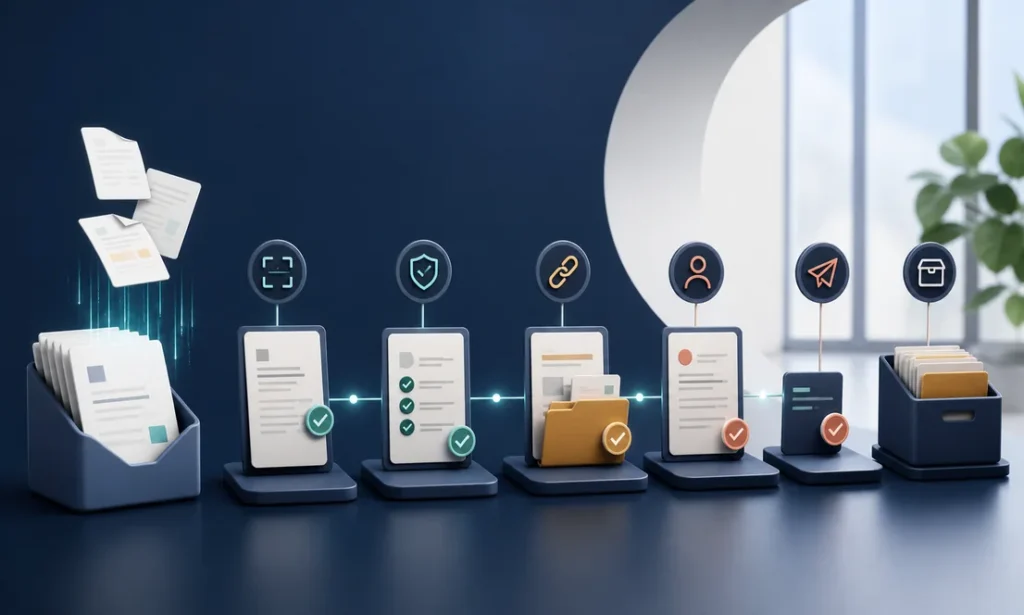
Most owners don’t lose money on invoicing because they’re careless. They lose it because invoicing is the chore that always gets pushed to Sunday night. A job wraps up on Tuesday, the invoice goes out Friday (or the next Friday), the follow-up never happens, and suddenly you’re financing your customers for free. Automated invoice processing for small business fixes exactly that gap: the invoice goes out when the work is done, the reminder goes out when the due date passes, and the payment lands without anyone having to remember anything.
Think of it like a shop apprentice who never gets sick, never forgets, and works for a fraction of a salary. That’s the honest pitch. Here’s how it actually works, what it costs, and when you shouldn’t bother.
What Automated Invoice Processing for Small Business Actually Means
Strip away the jargon and it’s three jobs handled by software instead of by you:
- Creating invoices automatically. When a job is marked complete in your field service app, CRM, or even a shared spreadsheet, the invoice is generated from the job data — line items, tax, customer info — and sent without anyone typing it.
- Chasing payment automatically. Polite reminders at 3, 7, and 14 days past due, escalating tone, sent every time, to every customer, without you feeling awkward about it.
- Recording what happened. Payments get matched to invoices in your accounting system, so your books reflect reality instead of a pile of “I’ll reconcile that later.”
On the vendor-bill side, the same idea runs in reverse: incoming invoices from suppliers get read, coded to the right expense category, and queued for your approval instead of sitting in an inbox.
The Real Cost of Doing It by Hand
Owners usually measure invoicing in hours — “it only takes me a few hours a week.” The bigger cost is the lag. Every day between finishing the work and sending the invoice is a day you’ve extended an interest-free loan. Many owners report that simply invoicing same-day and reminding on schedule tightens up cash flow noticeably, because customers pay what’s in front of them and forget what isn’t.
There’s also the error tax: a missed line item here, a job that never got invoiced at all there. In a busy season, those leaks are almost invisible — which is exactly why they persist.
Your Two Options: Off-the-Shelf Tools vs. Custom Automation
Generic automation and invoicing platforms typically run $200–$600 per month per user once you’re past the starter tiers and into the features you actually need. For a solo operator, that can be fine. For a team of five, do the math — you may be paying a custom-project budget every year, forever, for software that still doesn’t match how your business runs.
Custom automation flips the model: a one-time project cost, then maintenance typically around 15–20% per year. It’s built around your workflow — your job stages, your deposit structure, your net-30 accounts — instead of forcing you into someone else’s template. Our team walks through how this works on our business process automation page, but the short version is: connect the tools you already use, remove the typing, and keep the human approval steps where judgment matters.
A useful analogy: buying a tool is renting an apartment, building one is owning a house. Renting is faster and fine for a while. Owning costs more up front and pays off the longer you stay. That’s really the whole decision in automated invoice processing for small business: rent the workflow, or own it.
How to Get Started Without Boiling the Ocean
- Write down your current invoice path. From “job done” to “money in the bank,” every step, every person, every delay. Most owners find two or three steps that exist only out of habit.
- Automate the sending first. Same-day invoicing is the highest-value, lowest-risk win. Don’t start with the exotic stuff.
- Add the reminder sequence. Three touches, spaced out, professional tone. This is where the awkwardness disappears — the system is the bad cop, not you.
- Then connect the books. Payment matching and reconciliation come last, once the front of the pipeline is clean.
If you go the custom route, expect a first working module in 8–12 weeks on a fixed-price, staged plan — you see something running before you’ve committed to the whole build. Businesses around Dallas–Fort Worth can see how we scope these projects on our business automation for Dallas page.
When NOT to Automate Your Invoicing
Honesty time. Skip automation for now if:
- You send fewer than a handful of invoices a month. The setup effort won’t pay back.
- Every invoice is genuinely bespoke — heavy negotiation, custom terms, one-off pricing. Automation loves patterns; it doesn’t love exceptions.
- Your underlying process is a mess. Automating chaos gets you faster chaos. Fix the workflow on paper first.
Frequently Asked Questions
Will automated reminders annoy my customers?
In practice, the opposite tends to happen. A clear, timely, professional reminder reads as an organized business. What annoys customers is a surprise invoice for work from six weeks ago, or a frustrated phone call about a bill they never saw.
Does this replace my bookkeeper?
No — it removes the data entry your bookkeeper shouldn’t be doing anyway. They keep the judgment work: categorization questions, exceptions, month-end review. Most bookkeepers are happy to stop retyping numbers.
What if a customer disputes an automated invoice?
The system flags it and a human takes over, same as today. Good automation is a conveyor belt with a pull cord — anything unusual stops and waits for you.
If invoicing is the chore you keep postponing, let’s look at your specific workflow together. Schedule a free consultation and we’ll map out what’s worth automating first — and what isn’t.
Finding this analysis useful?
Get one email a week with the most important developments in AI and business technology — explained in plain English, with real numbers and zero spam.
Want this working in your business?
Book a free 30-minute session: we look at your case and tell you what is worth doing (and what is not) — no strings, no sales pitch.
Book a free session →